BAKKIS MUSIC SORTER
Fast. Instinctive. Sorting.
Version 2.1.2Turn a messy music folder into a sorted one, fast. Hear each track from the best part, decide with one key or a swipe, and it is filed while the next track is already playing. No dragging files around in Finder.
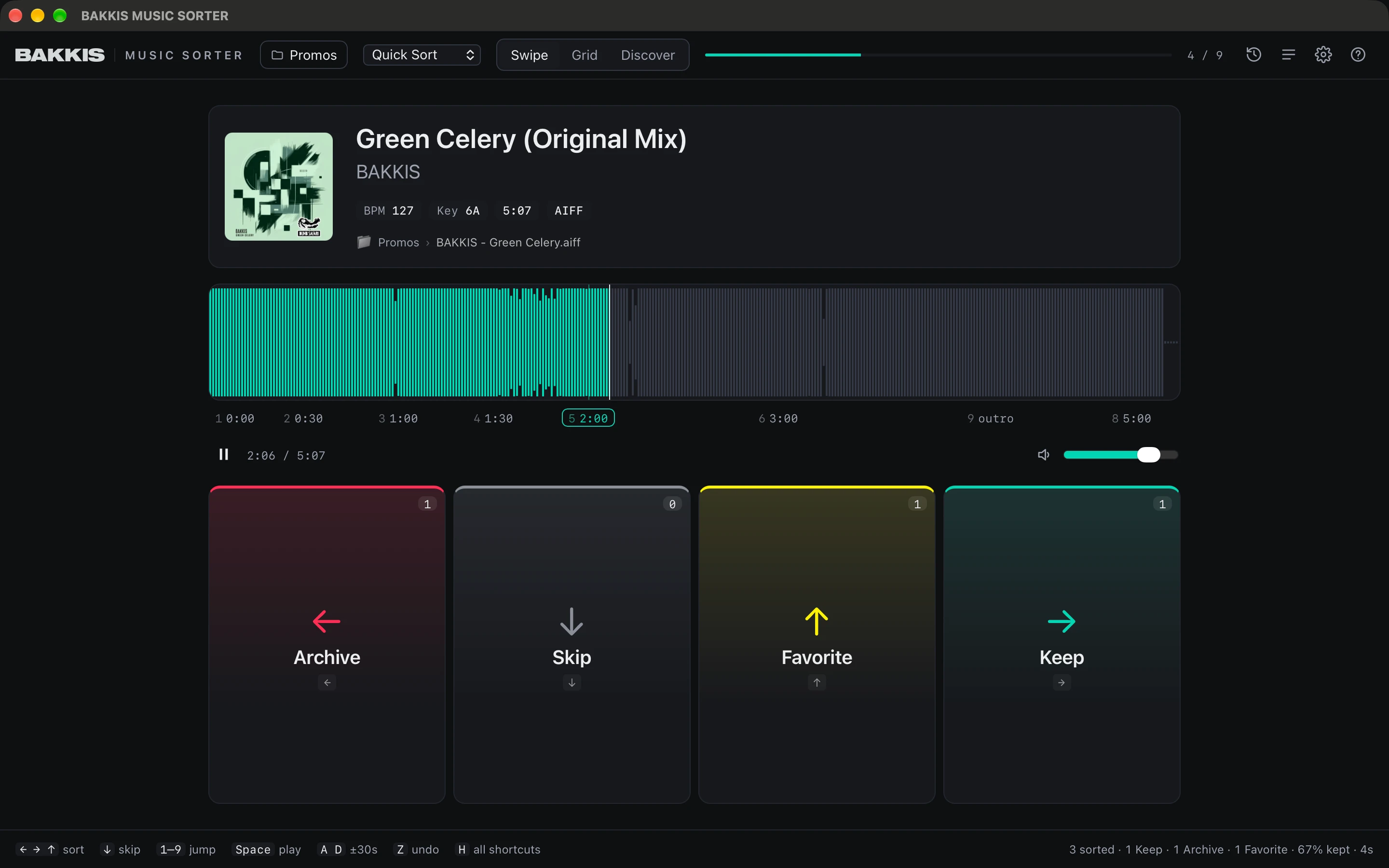
- Swipe mode: Keep, Archive, Favorite or Skip with the arrow keys, a mouse drag or a two-finger trackpad swipe in any direction
- Sort from the sofa with a game controller: PlayStation, Xbox, Switch Pro or 8BitDo. It rumbles on every sort, so you can decide without looking
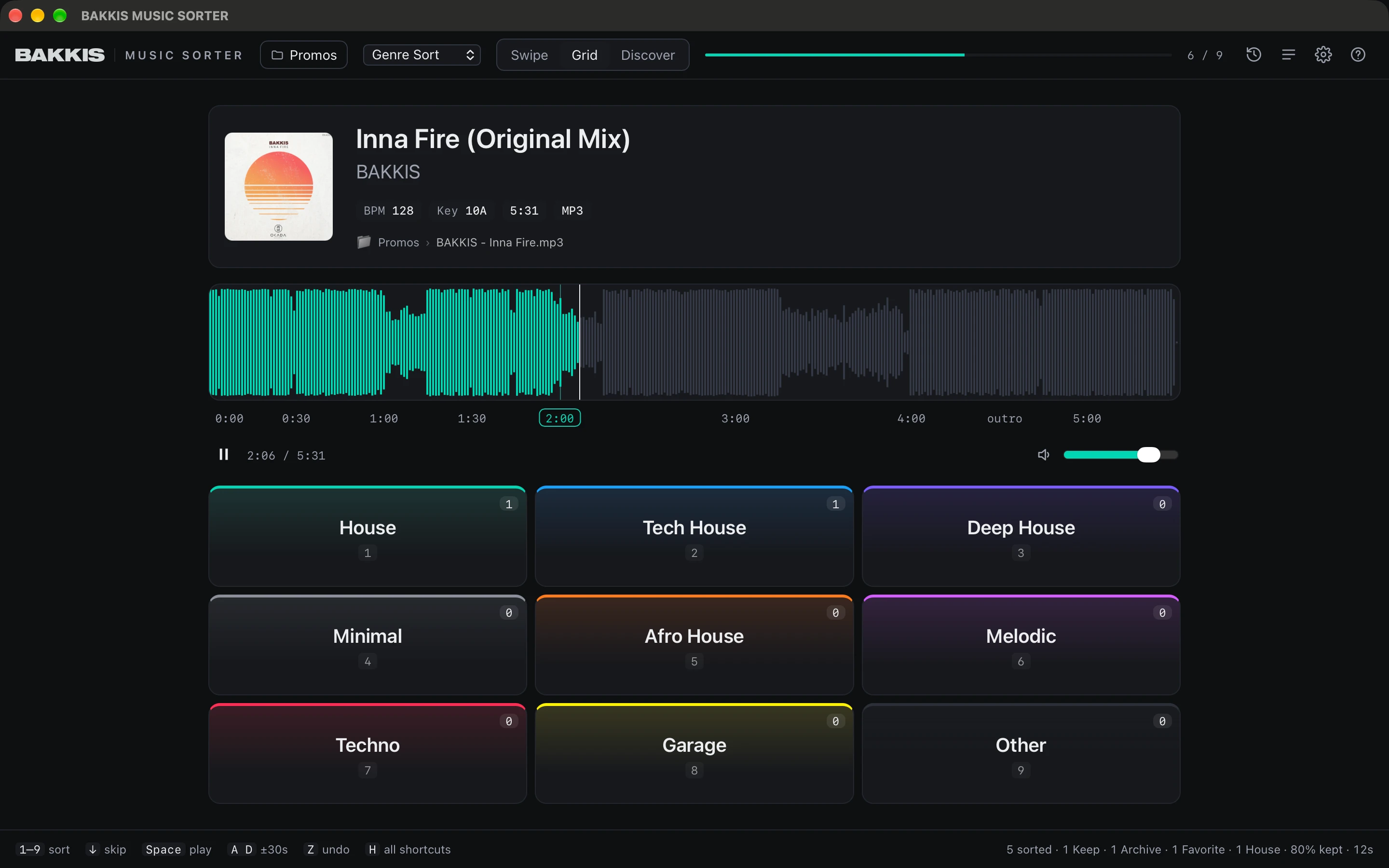
- Grid mode: sort into up to nine genres or set slots with the number keys
- Ready-made presets for quick sorting, genres and set building, plus promos and demos. Or make your own
- Copy mode keeps your originals untouched: copies go to their own folder
- Undo anything, even whole past sessions. No track is ever deleted or overwritten
- One-click updates from inside the app
- MP3, WAV, AIFF, FLAC, ALAC and AAC
Install and first launch
- Open the DMG and drag BAKKIS MUSIC SORTER onto Applications.
- Open it from Applications. macOS says it can’t check the app (it isn’t signed by Apple yet): click Done.
- Go to System Settings → Privacy & Security and click Open Anyway. Only the first time.
After that, new versions install from inside the app with one click (Update now).
“The app is damaged and can’t be opened”
The download was quarantined. Run this in Terminal, then open the app again:
xattr -dr com.apple.quarantine "/Applications/BAKKIS MUSIC SORTER.app"
Before your first session, back up your music or try the app on a copy of one folder. If the tracks are in a Rekordbox or Serato library, choose Copy so the originals stay where your library expects them.
Prefer a calmer screen? Turn off Colored tiles under Settings → Advanced: the colour wash goes and only a thin stripe on top remains.
Swipe mode
Grid mode
Sort with your eyes closed.
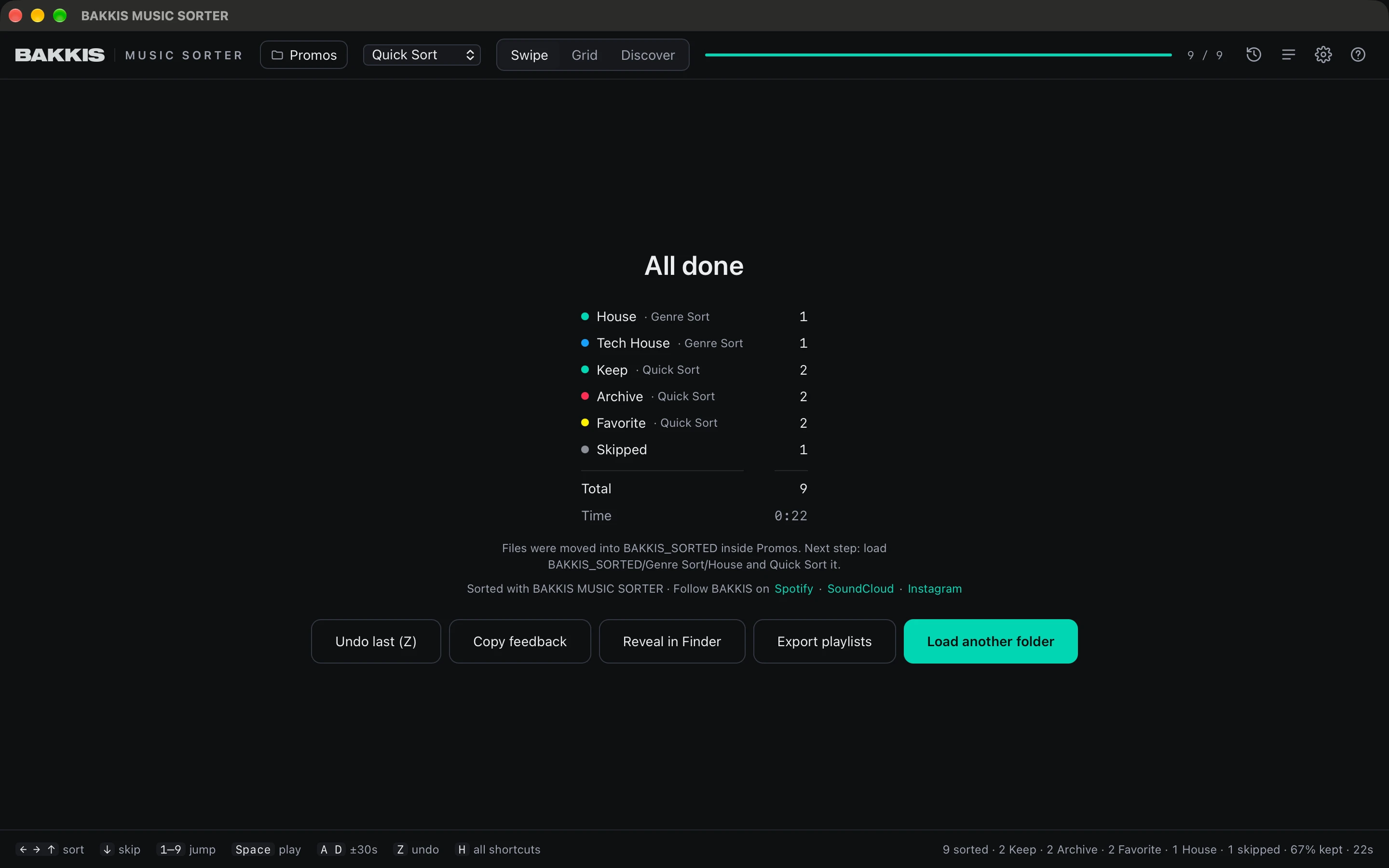
How it works
- Choose a folder. Click Choose music folder or drag one into the window. Subfolders are included.
- Listen from the best part. Every track starts at 2:00, so you hear the groove, not the intro. Pick anything from 0:00 to 6:00 in Settings.
- Decide with one key. The track is filed at once and the next one is already playing. Press Z to undo.
Your sorted tracks land right inside the folder you chose:
Your Folder/
└── BAKKIS_SORTED/
    └── Quick Sort/
        ├── Keep/
        ├── Archive/
        ├── Favorite/
        └── Skipped/
Questions
Does it delete anything?
No track is ever deleted or overwritten. If a file with the same name already exists, the new one is saved as name (2).mp3. When you move tracks, source folders that end up empty are removed (you can turn that off), and Undo brings them back.
Will it break my Rekordbox or Serato library?
Moving tracks breaks the links in your DJ library. Choose Copy when the app asks: your originals stay where they are, and the copies go to their own BAKKIS_SORTED_COPIES folder.
Does it change my files or tags?
No. Titles are cleaned up for display, like download-site stamps and key or BPM prefixes, but your files and tags stay exactly as they are.
Why does macOS warn me when I open it?
The app is not signed with an Apple Developer ID yet. You confirm it once, as described under Install and first launch, and after that it opens normally.
Is there a Windows version?
No. It is a Mac app, for macOS 13 Ventura or later on Apple Silicon and Intel.
Does it send any data?
No. There is no account and no analytics. The only network request is an optional check for a new version on GitHub at startup, which you can turn off under Settings → Advanced. Nothing is downloaded unless you click Update now.